Adding a Stage
Seed supports both branch based workflow and pull request based workflow. With branch based workflow, Seed allows you to deploy individual Git branches to different stages.
Create a new branch.
$ git checkout -b new-branch
Push the branch to remote.
$ git push -u origin new-branch
Go to Seed console, navigate to your project and select Add Stage.
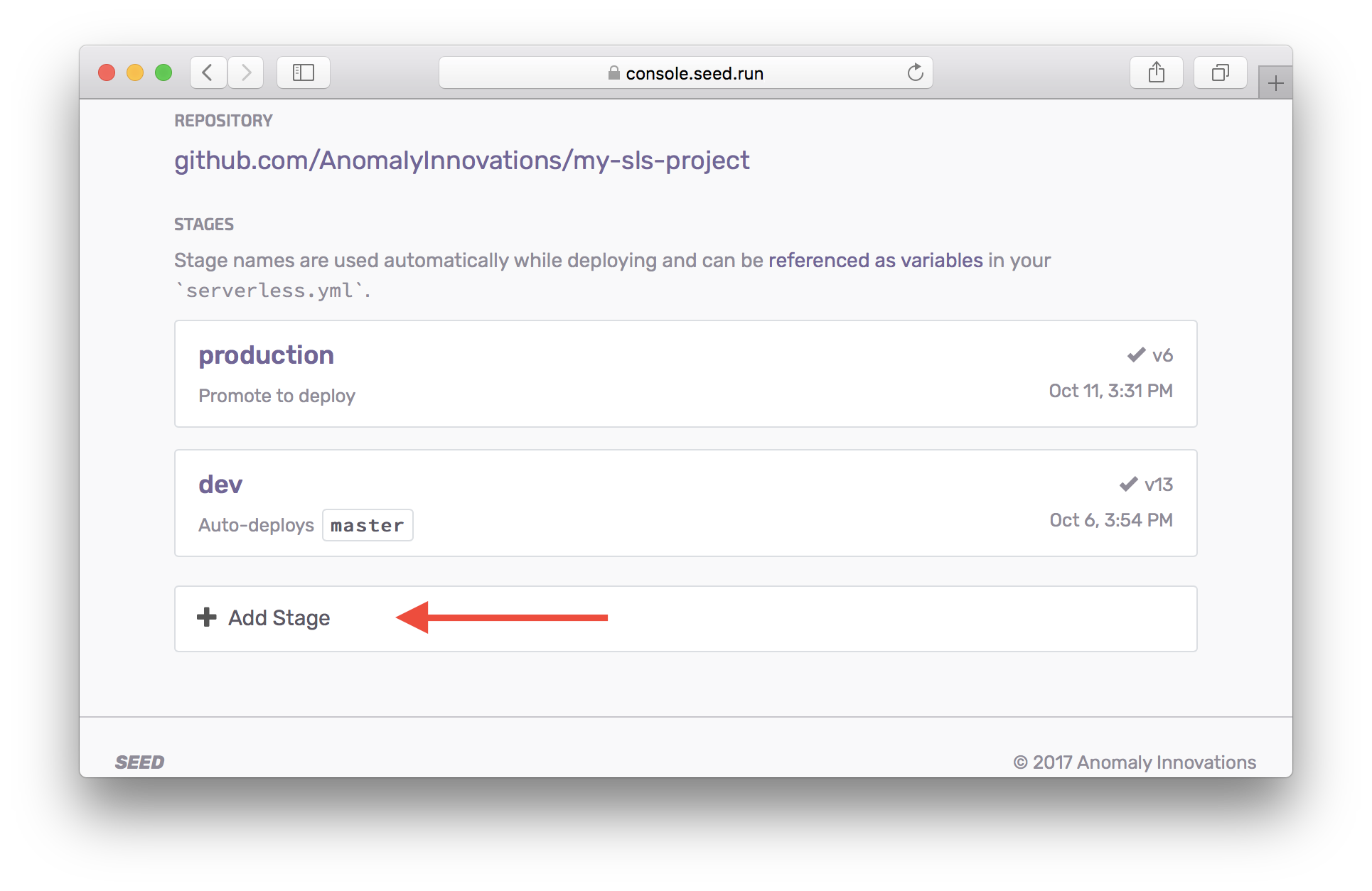
Select new-branch from the drop down, give it a Stage Name, and select Add Stage. A default stage name is pre-filled based on the branch name, you can select a different name.
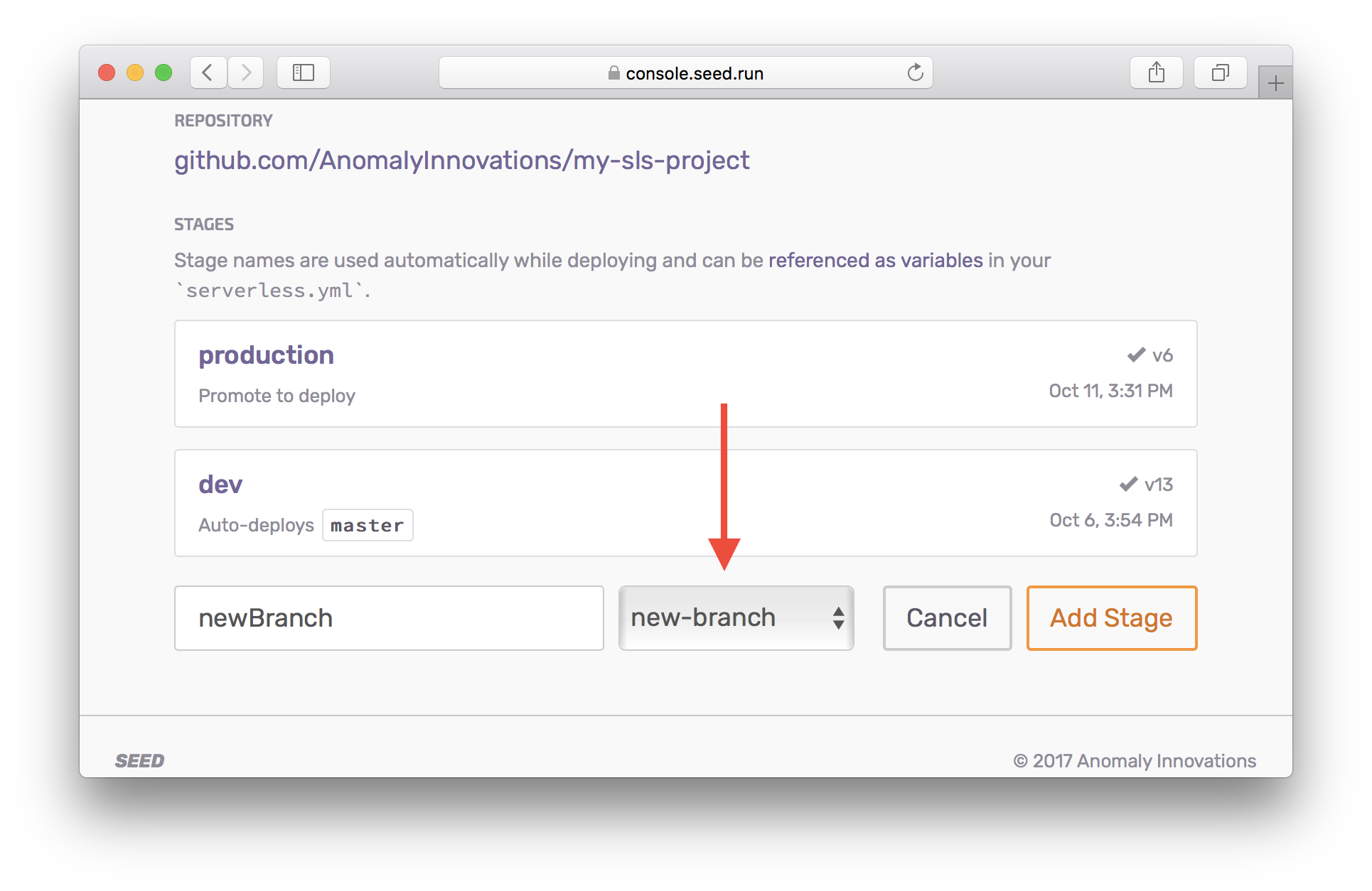
The stage name is used internally while deploying the project via serverless deploy --stage STAGE_NAME. The stage name is also used to configure stage variables.
When a new stage is created, Seed triggers a build automatically.
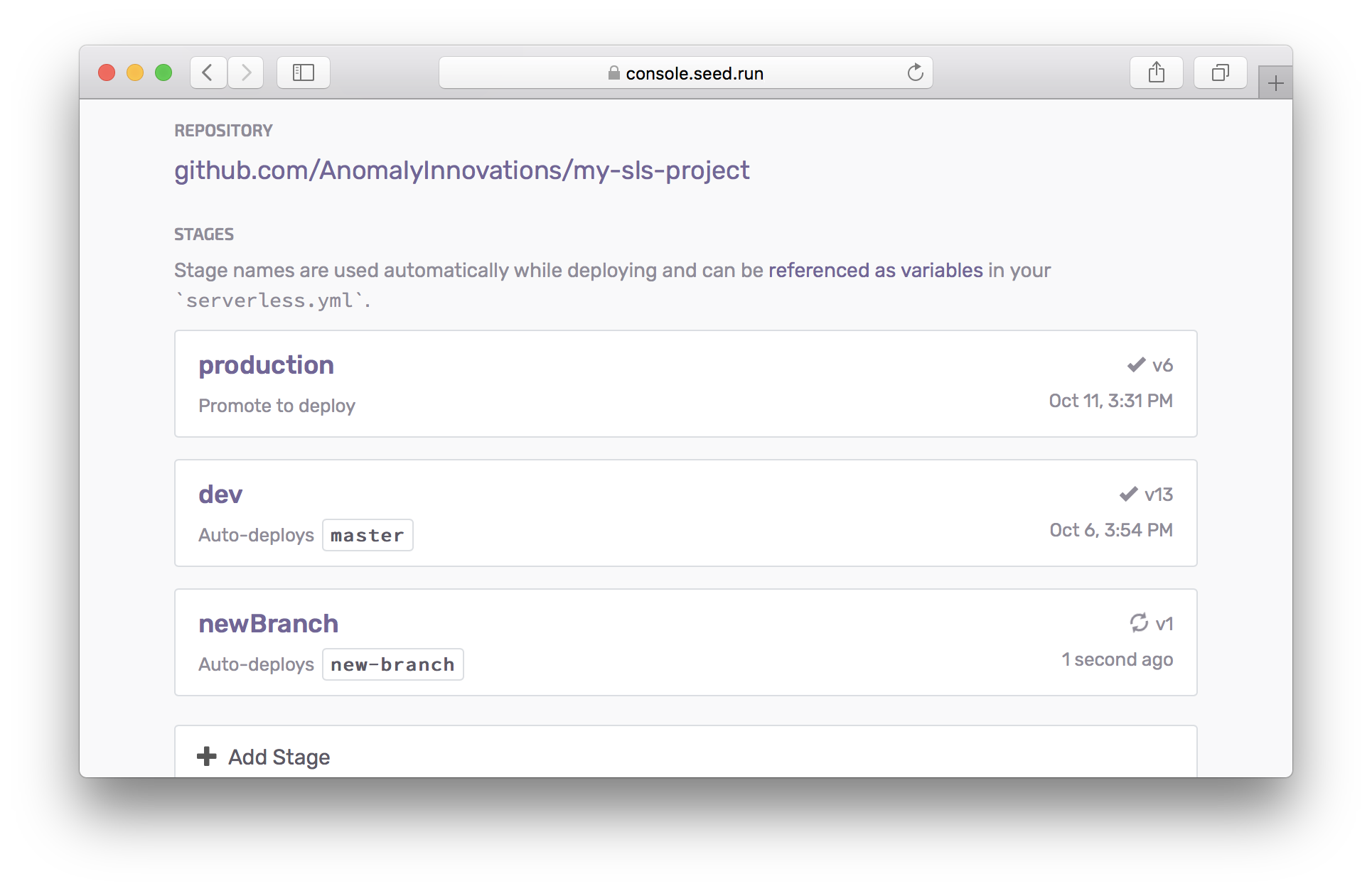
If the build is successful and tests pass, the stage gets deployed and receives a unique API Gateway stage endpoint. At the same time, a verified build is packaged for production. You can read more about this in the Promoting to production chapter.
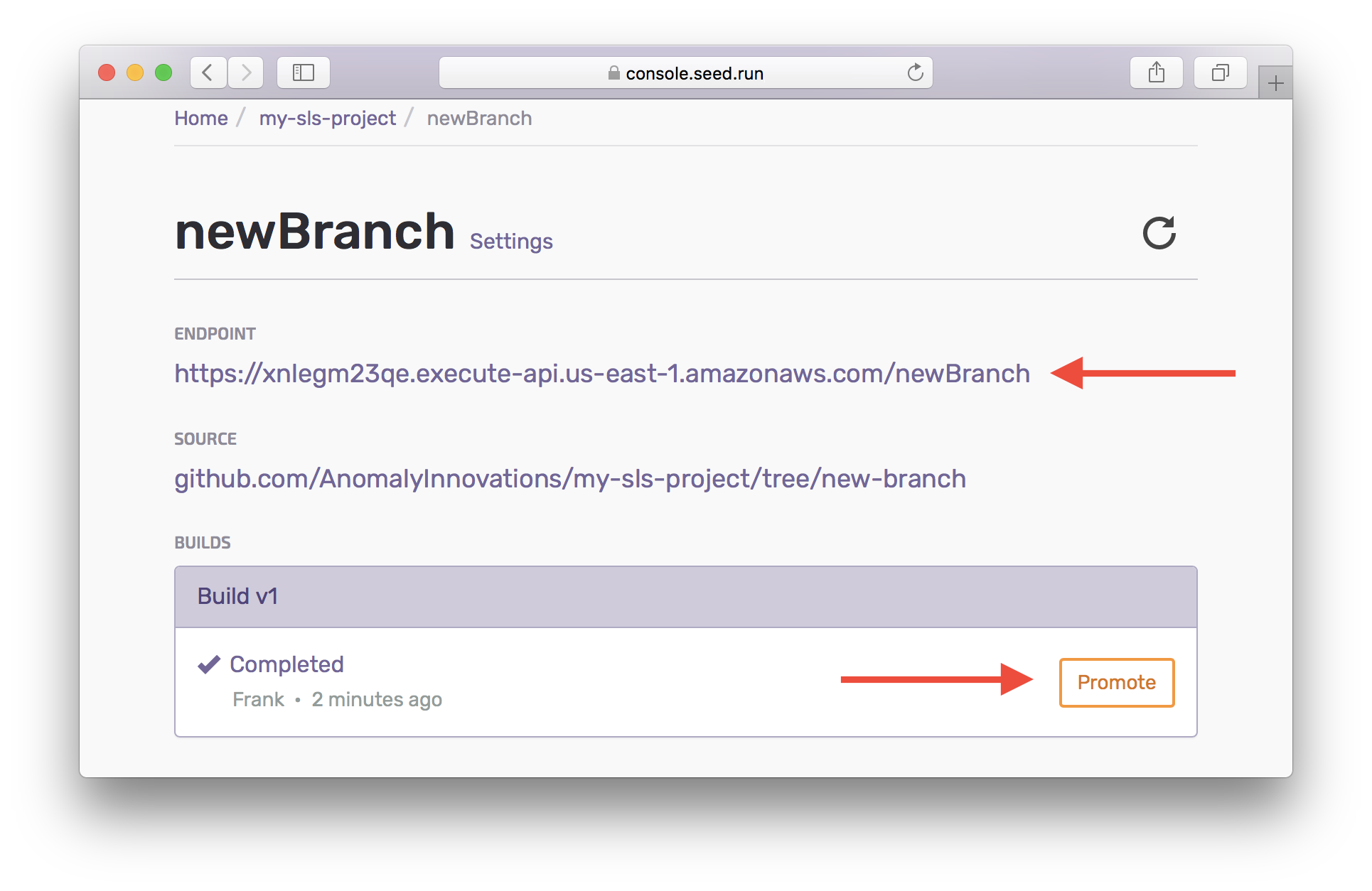
Seed automatically creates a new build for the stage when you git push to the update the remote branch.
If you have any questions or feedback feel free to contact us via email.